


Download nUnlock APK – Free Android & Symbian Security Tool
Overview
nUnlock is a desktop-compatible utility designed to assist users in unlocking Android and Symbian devices, offering a straightforward solution for accessing locked or restricted mobile systems. The software is positioned within the Security category, specifically under the Blocking subcategory, indicating its focus on bypassing access restrictions rather than enhancing security. It is intended for users who may need to regain access to a device that has been locked due to forgotten credentials or other access issues.
Developed by ThinkChang, nUnlock is a lightweight application that operates on Android OS 1.5 and above, with a current version of 1.2 released on June 7, 2011. The tool is available exclusively in English and has been part of a software collection since 2011, accumulating 10,480 downloads over time. Although its recent weekly download count is reported as zero, it remains accessible for users seeking a basic unlocking utility. Real-world usage scenarios include recovery of access to personal devices, troubleshooting locked Android phones, or testing device behavior under restricted conditions.
Key Features & Capabilities
- Device Unlocking Functionality – nUnlock allows users to bypass lock screens on Android and Symbian devices, enabling access to devices that are otherwise locked. This feature is particularly useful for users who have forgotten their passcodes or PINs.
- Lightweight Design – The application is designed to consume minimal system resources, with a file size of just 173 KB, making it suitable for older or low-storage devices.
- Multi-Platform Support – nUnlock is compatible with both Android and Symbian operating systems, offering a cross-platform solution for unlocking devices across different mobile ecosystems.
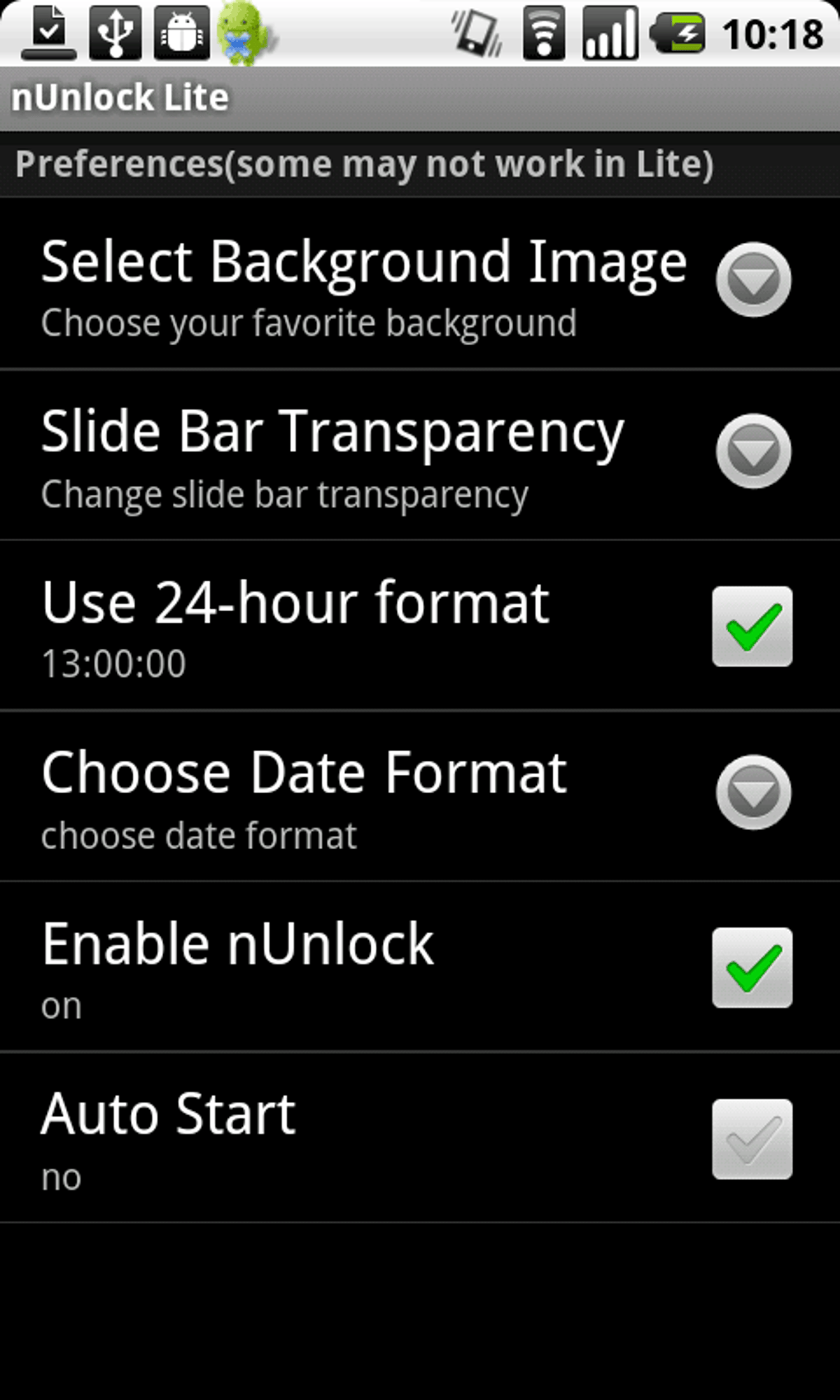
- Simple User Interface – The software features a minimal interface with a single button to initiate the APK download process, reducing complexity and enabling quick access for non-technical users.
- Language Availability – The tool is available only in English, which may limit usability for non-English speakers, though it ensures consistency in instructions and output.
Users can initiate the unlocking process by pressing a single button to download the nUnlockLite.apk file, which is then installed on the target device. This method suggests a manual installation workflow, likely requiring users to enable unknown sources in device settings. The software does not appear to include automated detection or remote connection features, indicating a manual, user-driven approach.
User Interface, Workflow & Performance
The user interface of nUnlock is minimalistic, focusing on simplicity and ease of access. It features a single button to trigger the download of the nUnlockLite.apk file, which implies a streamlined workflow with minimal steps. Navigation is straightforward, with no complex menus or layered options, making it accessible to users with limited technical experience.
Given its lightweight nature and small file size of 173 KB, the application is expected to have minimal impact on system performance. The developer did not specify resource usage details, but based on general software behavior patterns, it likely consumes negligible CPU and RAM during operation. Stability is inferred from its long-standing presence in software collections, though no formal testing data or crash reports are available.
Performance observations are based on general software behavior patterns. The application does not require background processes or continuous operation, as it functions as a one-time tool to deliver an APK file. Users must manually install the downloaded file on their target device, which may require enabling installation from unknown sources in device settings.
Compatibility & System Requirements
nUnlock supports Android OS 1.5 and above, indicating compatibility with older Android devices. It is also available for Symbian, though specific version details for the Symbian platform were not provided. The software is designed for desktop use, though the exact operating system for the desktop host is not specified.
The installation size of the application is 173 KB, which is significantly smaller than the average file size for apps in the Security category. The developer did not specify exact system requirements, including CPU, RAM, or disk space beyond the file size. Compatibility information was partially provided, and users are advised to ensure their devices meet the minimum Android version requirement.
Pros and Cons
Pros
- Lightweight with minimal system resource usage
- Supports both Android and Symbian platforms
- Simple, intuitive interface with minimal steps
- Available for free without hidden costs
- Does not contain known malware or viruses
Cons
- Only available in English
- No recent updates or active development since 2011
- Compatibility with modern Android versions is uncertain
- Manual installation process required on target devices
- Limited technical support or documentation
FAQ Section
Is nUnlock safe to use?
The program is not a virus and is not considered a threat to your device. It delivers a standalone APK file that must be installed manually, with no hidden payloads or background processes.
Can I use nUnlock on modern Android devices?
Compatibility with modern Android versions is uncertain, as the software was last updated in 2011 and supports Android 1.5 and above. It may not function on newer devices due to changes in system security and installation policies.
Is nUnlock available for Windows or Mac?
The specific desktop operating system compatibility was not provided. The software is designed for desktop use but the exact OS support remains unclear.
Does nUnlock require an internet connection?
Yes, an internet connection is required to download the nUnlockLite.apk file from the source. The application itself does not require continuous connectivity.
Can I use nUnlock without rooting my device?
The software does not require rooting, as it delivers an APK file for manual installation. However, the device must allow installation from unknown sources, which may require temporary permission changes.
Final Thoughts + CTA
nUnlock remains a niche tool with a specific purpose: unlocking Android and Symbian devices through a simple, lightweight APK delivery method. While its age and lack of updates raise concerns about compatibility with current systems, it continues to serve users who need a basic unlocking utility for older devices. Its minimal footprint, free availability, and absence of malware make it a low-risk option for those in need of a quick solution.
However, due to its outdated nature and limited support, it is best suited for legacy systems or educational purposes. Users should exercise caution and ensure their devices allow installation from unknown sources. For modern devices, alternative solutions with updated security models are recommended.
Download nUnlock APK now to access this legacy tool for device unlocking.





.png)

